Exploring the Best Free Video Editor: Are They Worth It?
In an era dominated by visual content, video editing has become an essential skill for content creators, marketers, educators, and enthusiasts alike. As the demand for video content continues to surge, so does the availability of video editing software. Many free video editor options claim to offer professional-grade capabilities without the price tag. In this article, we’ll delve into some of the best free video editors available and critically assess whether they’re worth the investment of your time and creative endeavors.
The Appeal of a Free Video Editor
Free video editing software has gained popularity for several compelling reasons:
Accessibility: With free video editors, anyone with a computer and an internet connection can enter the world of video editing, regardless of their budget.
User-Friendly: Many free video editors are designed with user-friendly interfaces, making them suitable for beginners who are new to video editing.
Basic Editing Needs: For simple video editing tasks like trimming, cutting, adding text, and basic transitions, free editors can often suffice.
Learning Platform: Using free video editors can serve as a stepping stone for learning the fundamentals of video editing before transitioning to more advanced software.
Exploring the Best Free Video Editors
Let’s take a closer look at some of the top free video editing software options available:
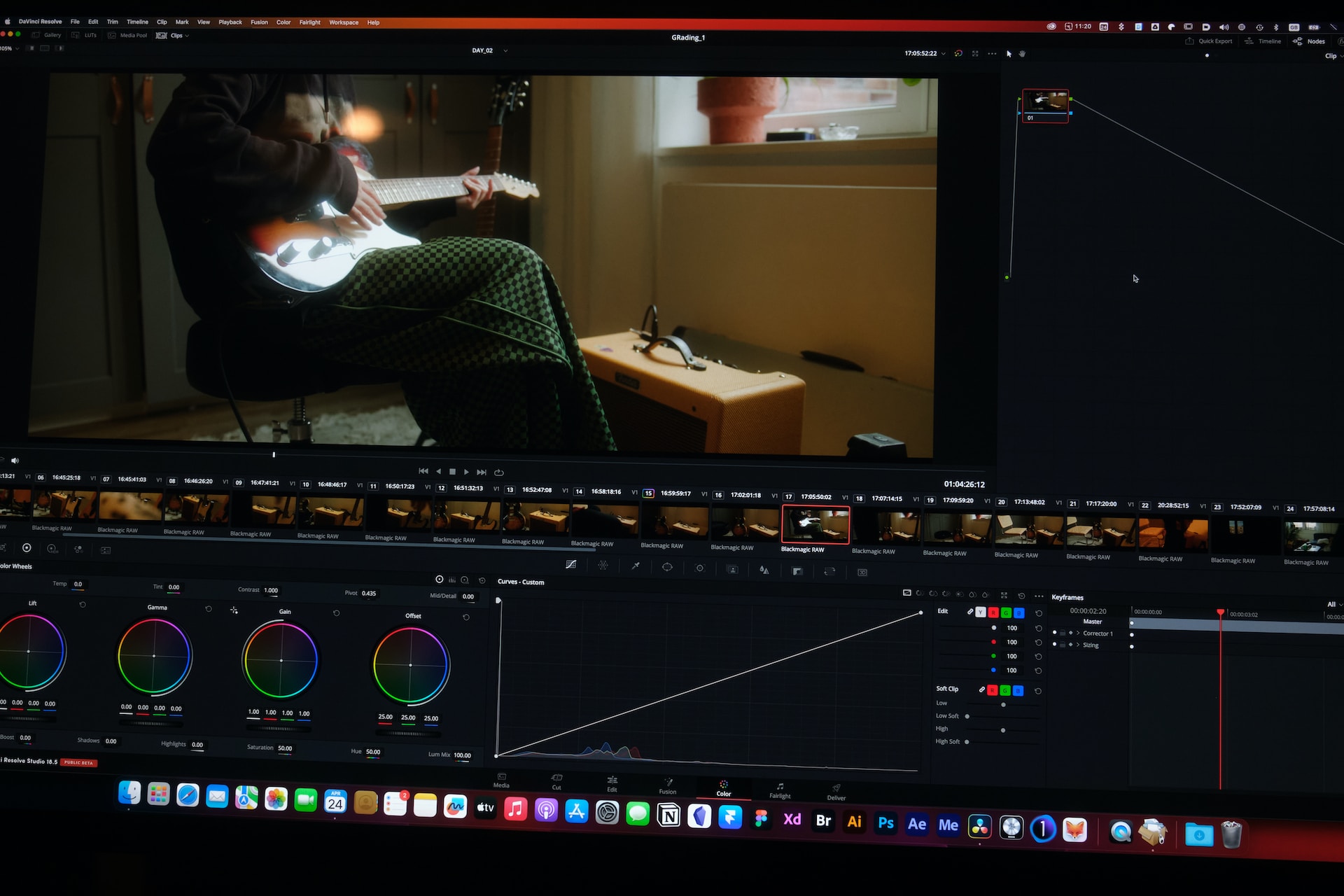
DaVinci Resolve, often considered one of the most advanced free video editors, offers a comprehensive range of features. From professional color correction and audio post-production to visual effects, DaVinci Resolve packs a punch. However, its extensive capabilities might be overwhelming for beginners.
HitFilm Express combines video editing and visual effects in a single package. It’s suitable for creators looking to add a touch of Hollywood-style effects to their videos. The learning curve might be steeper due to its advanced features, but its capabilities are impressive for a free tool.
3. Lightworks
Lightworks has been used in the film industry for editing feature films like “Pulp Fiction” and “The Wolf of Wall Street.” It offers a free version with professional-grade features, making it an attractive option for serious creators. However, the free version might have limitations on export formats and output quality.
4. Shotcut
Shotcut is an open-source video editor with a clean interface and a range of features. It supports a wide variety of video formats and has a good collection of filters and effects. While its interface might not be as polished as some commercial options, it’s a solid choice for those seeking a capable free editor.
5. VSDC Free Video Editor
VSDC Free Video Editor provides a range of features for both basic and more advanced editing tasks. It offers non-linear editing, color correction, and a variety of effects. While its interface might not be as intuitive as some other options, it’s a powerful tool for those willing to invest time in learning its features.
Is a Free Video Editor Worth It?
The question of whether free video editors are worth using depends on your specific needs and aspirations as a video creator. Let’s explore both the benefits and limitations to help you make an informed decision.
Benefits:
Cost-Free Access: Free video editors eliminate the financial barrier to entry for aspiring creators who might not have the budget for premium software.
Learning Opportunity: If you’re new to video editing, free software can serve as a valuable learning platform. You can experiment, familiarize yourself with editing principles, and gain confidence before transitioning to more advanced tools.
Basic Editing Tasks: For simple editing tasks like trimming, cutting, and adding basic transitions, free editors can get the job done without overwhelming you with features you don’t need.
Casual Creators: If you’re creating videos for personal enjoyment or sharing with a small audience, the capabilities of free video editors might align perfectly with your needs.
Limitations:
Advanced Features: Free video editors often lack the more advanced features and capabilities found in premium software. If you’re looking for sophisticated visual effects, intricate color correction, or advanced audio editing, you might outgrow free options quickly.
Export Quality and Watermarks: Some free video editors impose limitations on export quality, and others might add watermarks to your final videos, which can be distracting and unprofessional.
Learning Curve: While some free editors are user-friendly, others might have steeper learning curves due to less intuitive interfaces or a lack of comprehensive tutorials.
Project Scale: If you’re working on larger, more complex projects, free editors might struggle to handle the demands of extensive footage, multiple layers, and intricate effects.
The Verdict: Balancing Your Needs
In the end, whether a free video editor is worth using depends on your individual needs and goals. Here are a few scenarios to consider:
Beginner Creators: If you’re just starting and want to learn the basics of video editing, a free editor is a great place to begin. It allows you to experiment and develop your skills without the pressure of subscription fees.
Casual Projects: If you’re creating videos for personal enjoyment, sharing with friends, or for a small audience, free editors can often provide everything you need to produce compelling content.
Basic Editing: If your video editing needs are limited to basic tasks like trimming, cutting, and simple transitions, a free editor might be sufficient.
Advanced Creators: If you’re a serious content creator, marketer, or filmmaker aiming for professional-level videos with advanced features and high-quality output, investing in premium software might be a more suitable option in the long run.
In Conclusion
Free video editors offer a valuable entry point into the world of video editing, especially for beginners and casual creators. They provide an opportunity to learn, experiment, and create content without the financial commitment of premium software.
However, the limitations of free editors become more apparent as your skills and projects evolve. As you become more invested in content creation, you might find that the advanced features, export quality, and support offered by premium software are worth the investment.
Ultimately, the worth of free video editors is subjective and depends on your creative ambitions, technical requirements, and future growth as a content creator. Choose a video editor that aligns with your current needs and be open to transitioning to more advanced tools as your skills and projects progress.
Remember – looks aren’t everything and your videos need to sound good too. Go to Keyframe Audio to get the very best Royalty-Free Music and SFX for your content.
Leave a Reply